

No Thanks. I Don't Want To Read Your Substack
You might be turning new visitors away before they ring the doorbell.

Get your Substack beautifully set, functioning well, and ready to roll in half a day!
Today’s tips are quite possibly some of the quickest but most welcoming changes you can make to your Substack, and I hope you all take advantage of them!
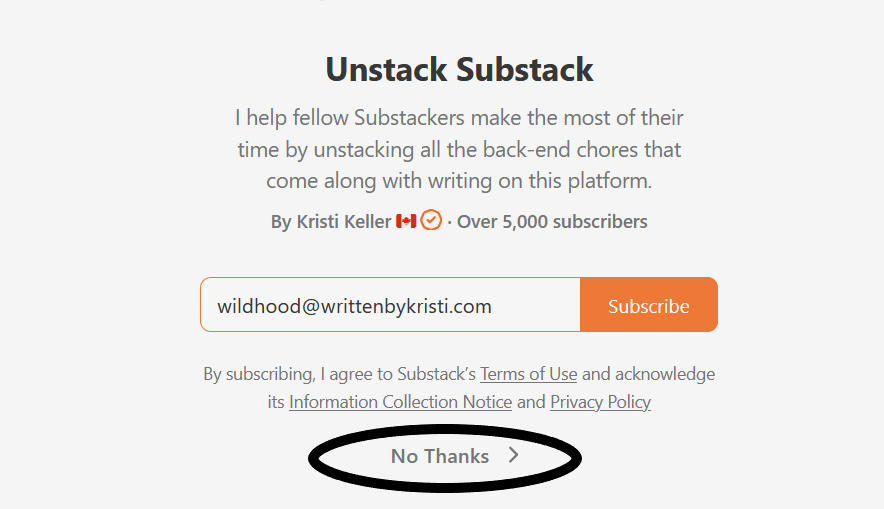
I perform plenty of Substack audits, and this is the FIRST thing I notice right at the start of each audit—a very subtle but off-putting NO THANKS right on the welcome page.
First things first:
Here’s how to view your welcome page as visitors see it. In your browser bar, at the end of your URL, add /welcome.

The welcome page is the very first thing brand new visitors see. Lord knows why the ‘chief feature officer’ thought putting a NO THANKS on a welcome page was a good idea. 🙄
It’s like saying, “Hello and welcome! But also get lost!”
Thankfully, there’s a very quick and easy fix for it and judging by the number of no-thank-you’s I come across, it’s likely most people aren’t aware it can be changed.
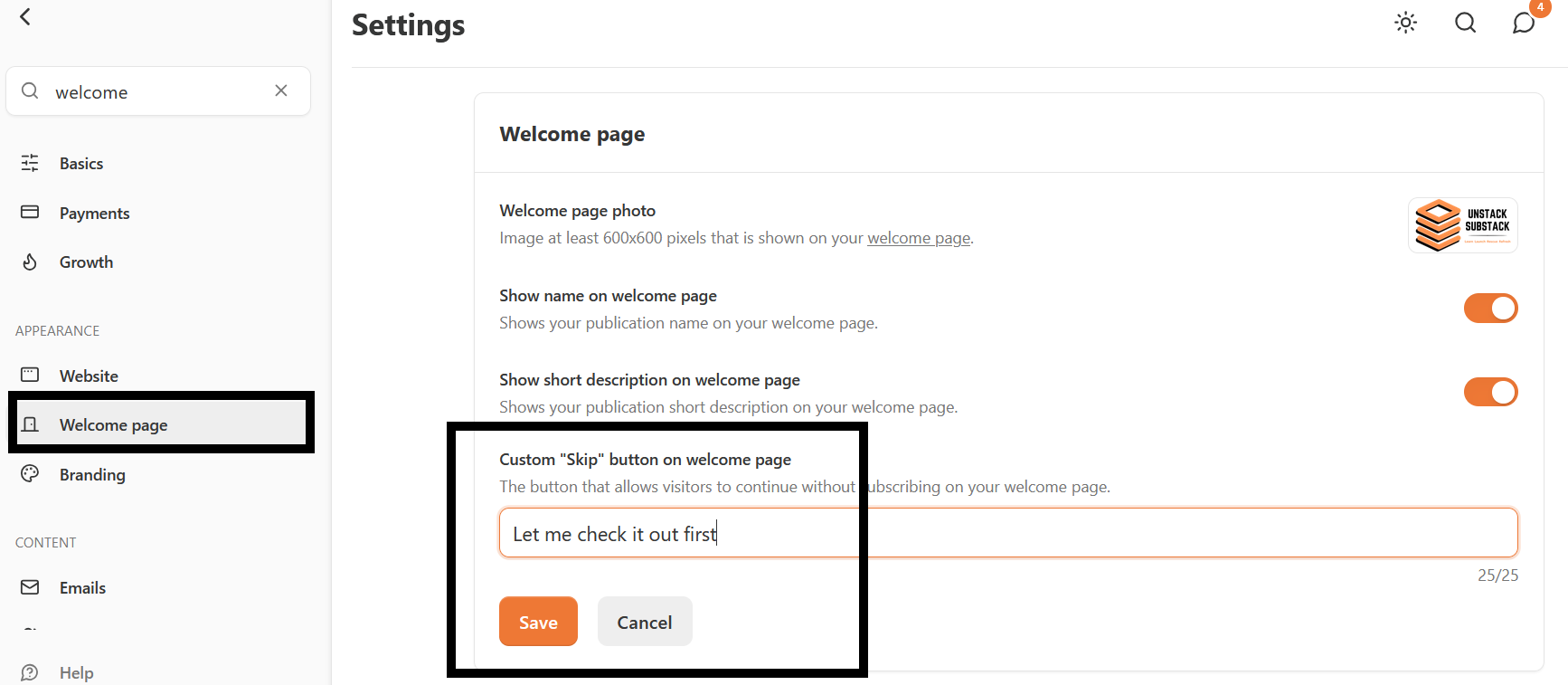
Head to your dashboard » settings » then scroll down to the “Welcome Page” area.
Once you’re there, you can customize the welcome page click-thru message to whatever you want, up to 25 characters. A custom message such as “Let me check it out first” fits perfectly at 25 characters.
It also fits perfectly into the “Welcome to my online home, I’d love for you to come in!” realm.
Substack has many defaults that often get overlooked, simply because using the platform can be overwhelming! This is just one small change you can make right now that may have an impact on your bigger picture. 😊
Two more simple but effective tweaks you can make to your welcome page:
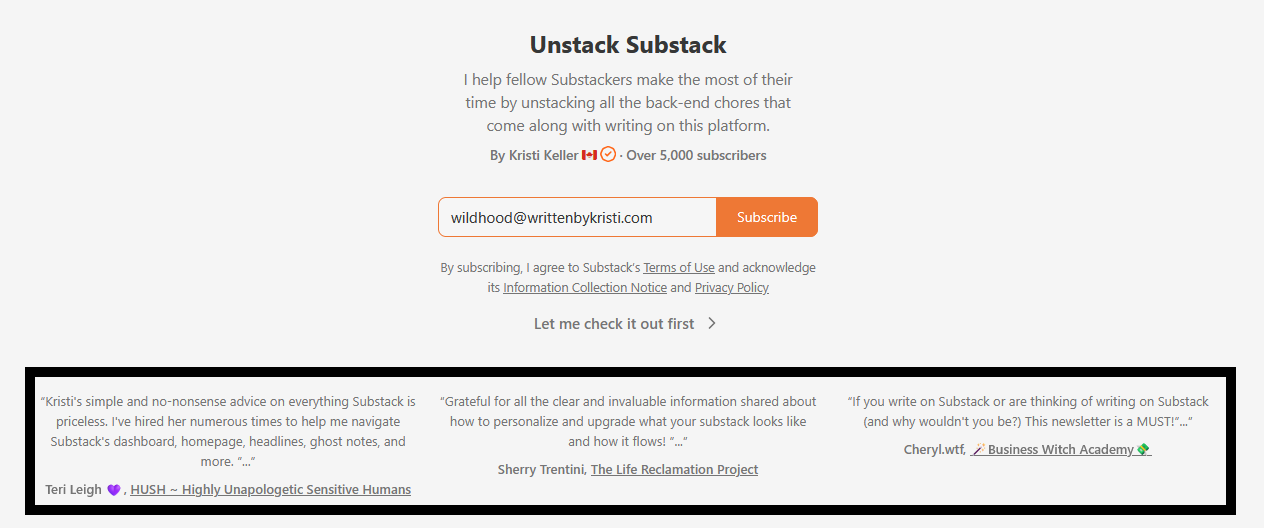
➡️ You can display up to three recommendation blurbs, and you get to hand-select which three they are. They’ll appear here when you have them enabled:
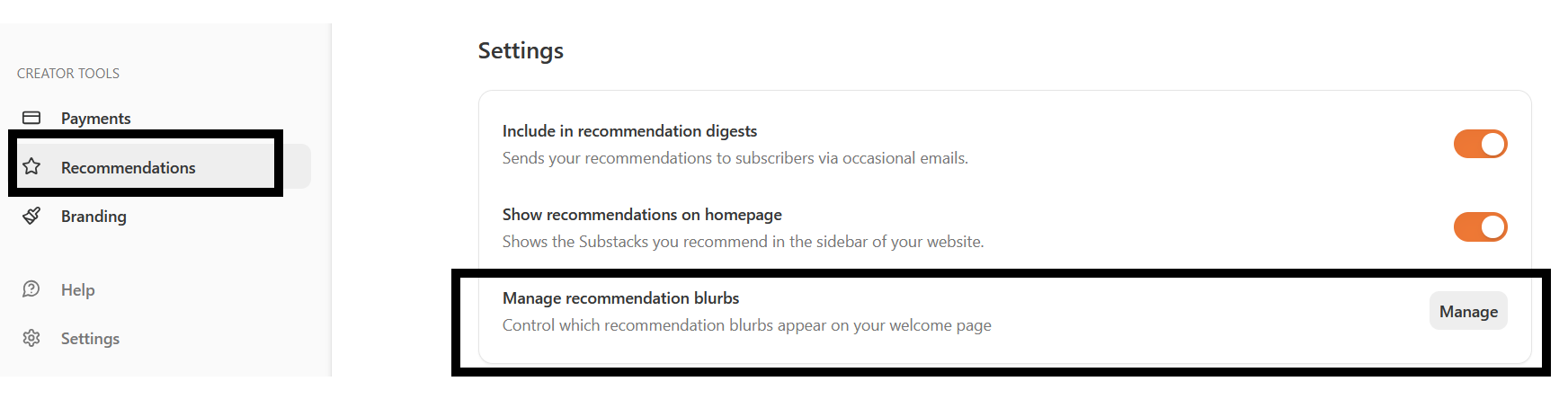
If anyone has recommended your publication and left a comment about why they’re recommending, you can find these blurbs in your dashboard » recommendations. Once you’re there, the very last option is “Manage recommendation blurbs.”
Click that, and you’ll see all the blurbs others have written in support of your pub. From there, you can flaunt your street cred and choose which three you’d like to display.
➡️ Lastly, (this one is purely for aesthetics), if your welcome page image displays your actual publication name, then the Substack default publication name is sort of redundant.
We will use Open Secrets Magazine as a perfect example. Their welcome page image is their name, so they don’t need the Substack default name that I’ve outlined in black here:
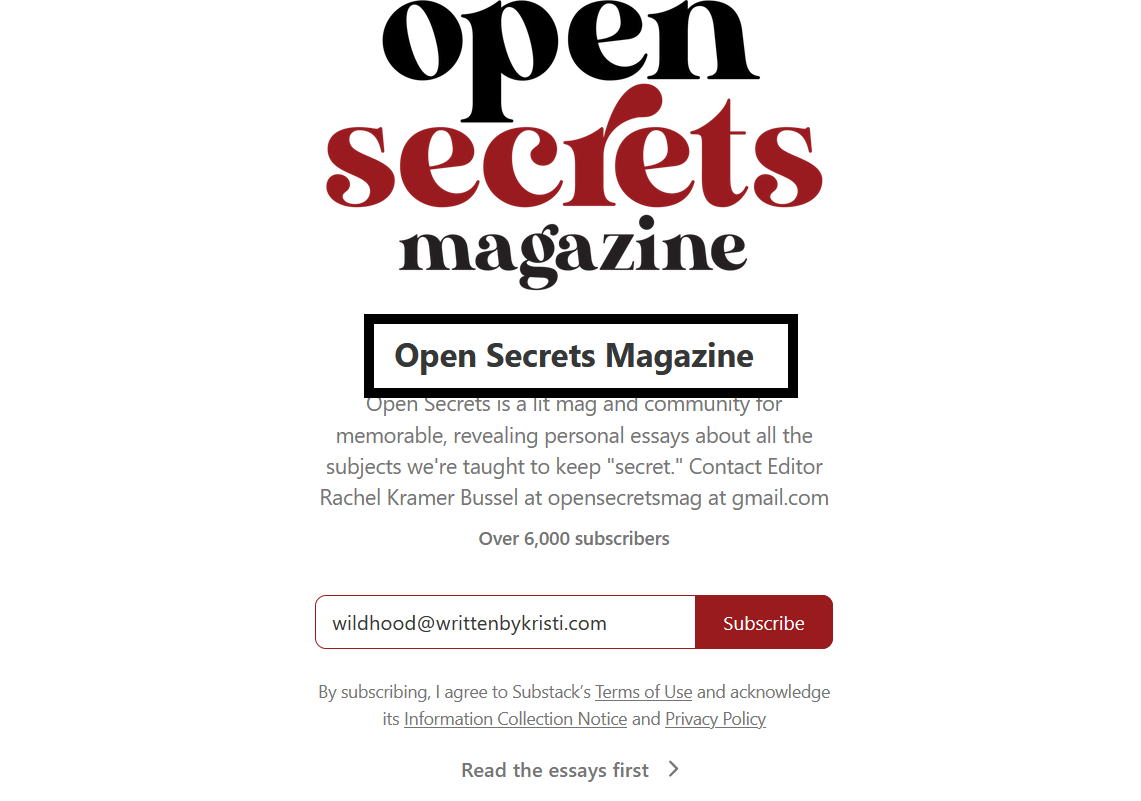
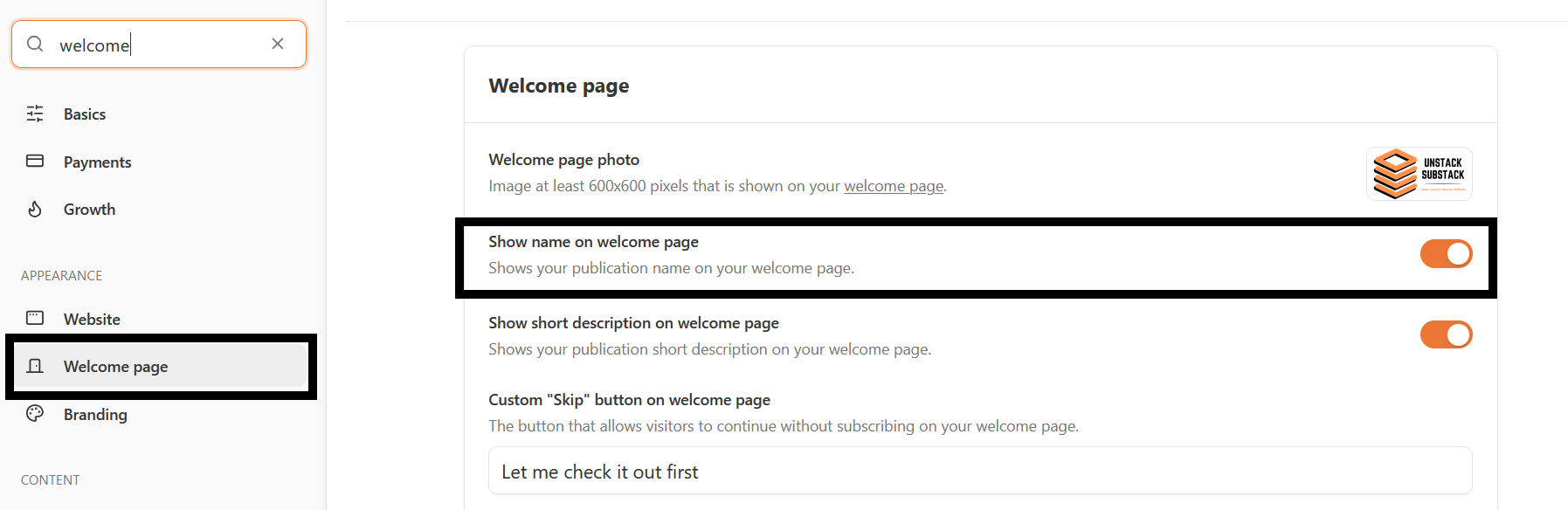
To remove that name, go to your dashboard » settings » welcome page. Toggle off the “Show name on welcome page” switch. Easy peasy!
That concludes today’s welcome page makeover session 😁 I hope you find it useful and have some fun reading through your recommendation blurbs!
Did you know about these customization tools?

Best news ever as we close out 2025! 🥳🍾
A little while ago, I offered a very limited holiday special for half-day VIP bookings. It was a brand new idea, and to my surprise, every single time slot (plus one extra!!) sold out within a week. 🫢
That means the people have spoken, and I heard you!
Starting in 2026, I have added half-day bookings to my regular services. You can now have your Substack properly set and ready to roll in half a day!
I didn't know about these tools, and I just made a bunch of tweaks. Thanks Kristi!
Thanks Kristi, great advice as usual.