

How To Publish A Post Without Sending It To Your Subscribers
And examples of why this would be useful.

Last year, I answered the question of whether we can send an email to our list WITHOUT publishing it on our homepages, and the answer is YES, we certainly can.
But recently, the opposite question has come up a few times.
Is it possible to publish a post without emailing it to your subscriber list?
The answer is yes, and I’ll show you how. It’s super simple. But first, I want to tell you WHY this might be useful in certain instances.
Reason #1
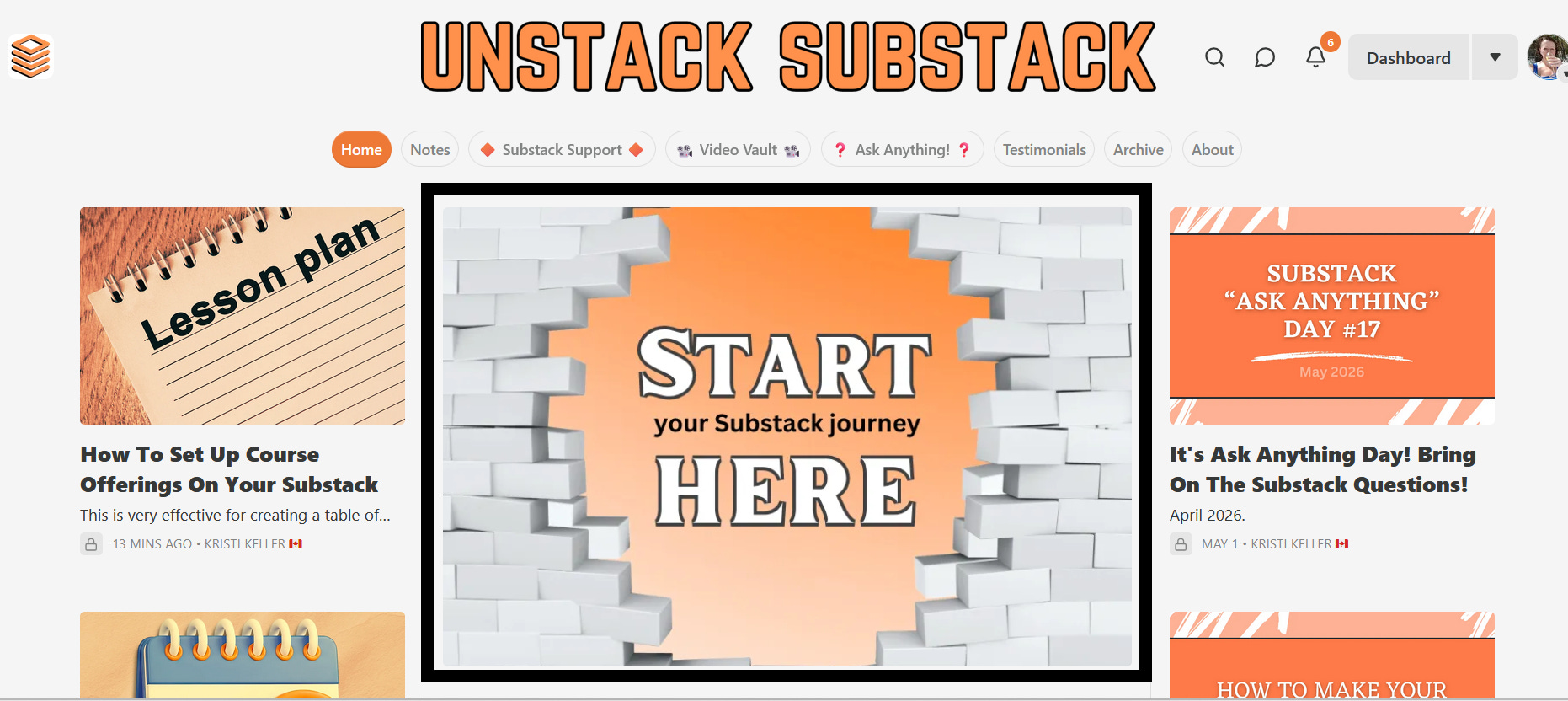
Maybe you want to publish a welcome or start here post and pin it to the center of your homepage. But you don’t necessarily want to email that pinned post out because it’s not a newsletter; it is just meant to serve as a roadmap to your publication.
I’ve outlined my ‘Start Here’ post in black below, as a visual example. I never emailed that post; I just published it and pinned it to the center as a guide for new visitors.
Reason #2
Let’s just say you have a resource library and you want to publish resource content to populate your library, but not send them out. A great example of this is my tutorial video vault.
I published a brand-new video tutorial there the other day, but I didn’t want to send it out because it's meant to serve as a resource in the vault.

Now, here’s a video showing how to publish posts without sending them:

And there we have it! A super simple and quick Substack tool that might come in handy for you down the road.
As with all video tutorials, this one has been added to our growing video vault of Substack how-tos. The video vault was created so you can clean things up, fix what’s not working, and actually feel in control of your Substack publication.
I love this Substack. I read it every time it hits my inbox and I appreciate you so much!
This is so helpful! I was wondering about this.