

How to Back Up Your Substack Data to Avoid Losing Content
It has definitely happened before and it could happen again!

Thanks to Sabine Brosche for today’s newsletter tip. She asked a great question in our latest Ask Anything thread, and these are the reasons we have Ask Anything days EVERY month.
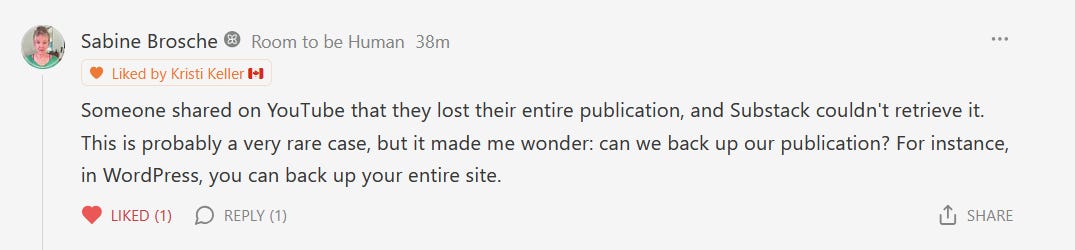
After seeing her question, I realized I have never posted a tutorial about backing up your content and email list. I know other Substack coaches have shared this information, so I just assumed everyone already learned it elsewhere.
Bad assumption…my apologies.
In case you’re wondering what the chances are that you could lose ALL your Substack content and your entire publication, Lucy Werner can tell you in her post below:



So, if you have never known how to back up your Substack data and email list, watch this quick 5-minute video below, and then make it a regular practice:

And there we have it. Super simple and it could save YEARS worth of work from going down the toilet.
Did you know about Substack’s data export feature? If not, will you start using it now?
The Substack POWER HOUR
Sometimes you don't need another course...you just need one focused hour to brainstorm, troubleshoot and untangle. Grab a Substack Power Hour and let's knock a few things off your list.
I have a reminder on my calendar to backup weekly. I usually create my post in Word or Doc and paste into SS, then format. This should be a process for AI. Think I will work on that.
Hi Kristi, I've become aware of this recently, have never thought about it before until I heard about poor Lucy Warner, I really feel for her. We should all be backing up our sites regularly, thanks for the reminder and clear instructions. However, I've been reading up about this from people who have done it and apparrently, the export data seems as flawed as the import data you talked about in the video. Seems text is backed up but the formatting is not, links in the text are broken and the images are missing. Perhaps going forward the most effective way of backing up our data is to make copy & paste versions of our posts as we create them and store them in a hard drive as a text document. Not ideal, but then neither is the total back up option, either, if this is true. Although its better than totally losing everything!