

Substack Finally Introduced Notes Scheduling. This Is How To Do It.
Plus, at least FIVE ways you can use it to experiment and help your Substack grow intentionally.

This question has come up multiple times from several clients since Substack introduced the Notes feature:
“Can we schedule our notes to publish at a later date?”
I always hated being the one to have to burst bubbles and say no. But those days are over because now we CAN schedule our notes to publish on a day and time of our choosing!
Before I dig into the tutorial part, below are several reasons the scheduling feature packs a bigger punch than you may realize:
1. You can finally act on inspiration without babysitting the app.
Before, if you had a good idea at 10:47pm, your choices were: post it immediately (hello, three people online) or forget it exists by morning. Now you can capture the thought in the moment and send it out when actual humans are awake.
2. It lets you show up consistently without being “always on.”
Substack growth, whether we like it or not, leans heavily on showing up in Notes. Scheduling means you can batch a handful of posts and drip them out over a few days instead of popping in like a chaotic raccoon whenever inspiration strikes.
3. You can time posts around your emails (which is huge).
There’s a whole publishing ecosystem available to us now:
Write a Note before your post goes out (giving “something’s coming” energy)
Schedule one right after it publishes (traffic driver)
Schedule a follow-up later that day (second wave of eyeballs)
That’s suddenly a strategy instead of a one-and-done post.
4. It makes batching actually possible (and sane).
Sit down once, write 5–10 thoughtful Notes, and you’ve bought yourself breathing room for the week.
5. It helps you test and figure out what actually works.
You can experiment with timing way more intentionally. Morning vs afternoon. Weekday vs weekend. Reactive vs reflective. When you remove “I happened to be online,” you start seeing patterns.
And the list goes on. I’m sure you can come up with your own benefits related to your personal content strategy.
Now, here’s how to schedule your Substack Notes:
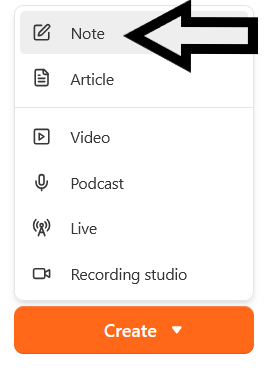
Find your orange “Create” button from whichever screen you’re on, and select Note.
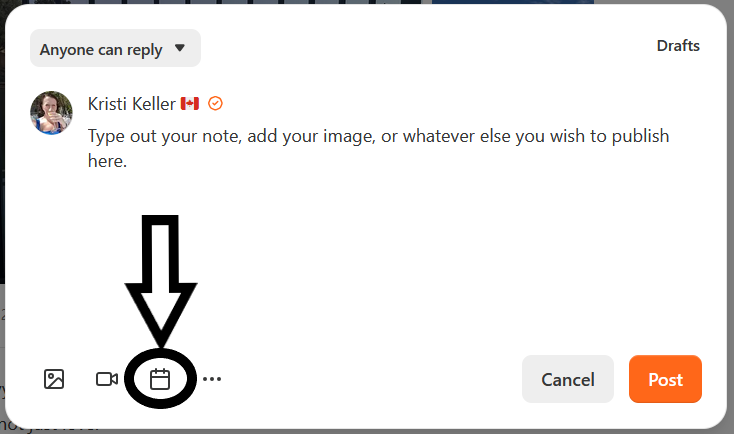
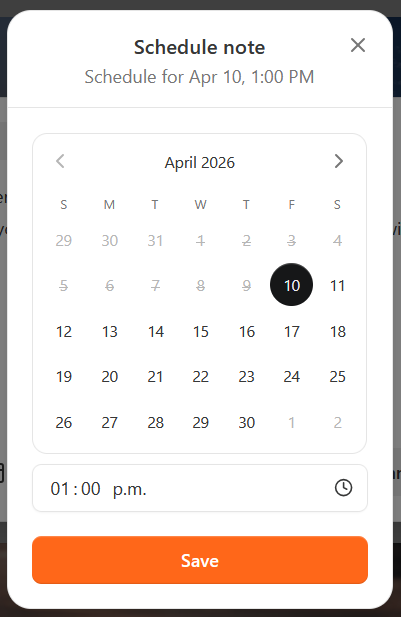
Then, create your note, and click the calendar icon at the bottom. Choose your publishing date and time on the calendar pop-up, then hit SAVE, as shown below. Super simple!
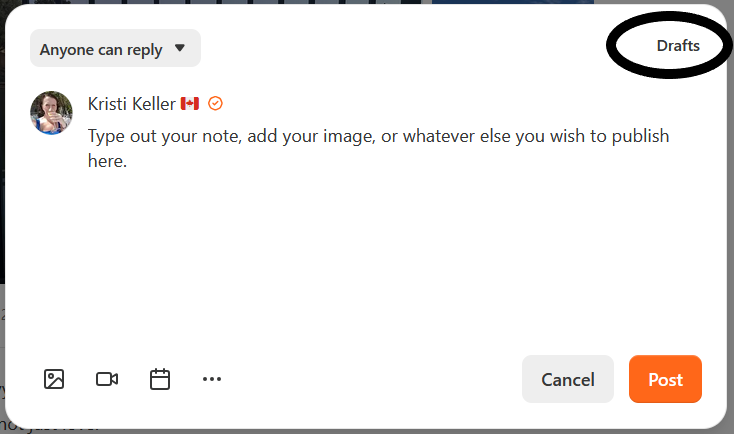
Another little feature - if you want to see a list of your scheduled notes, you can click on the “drafts” link in the top right corner of your note draft and a list will pop up.
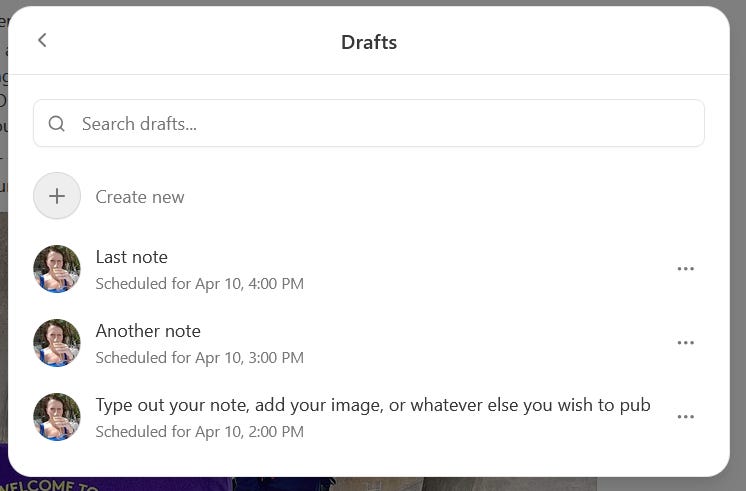
If you change your mind about any of your scheduled notes, you can click on the 3 little dots to the right of each, and you’ll see an option to delete that note.
And that’s it! A tiny new tool that can make a huge impact on your time and growth strategy! Scheduling Notes turns Substack from “post when you remember” into something you can actually steer intentionally, without turning into a full-time content hamster.
Speaking of growth strategies related to Substack Notes, here is a tutorial that doesn’t require hundreds of dollars and a masterclass…you can literally just read it. ⏬️
WELCOME to the ONLY Substack Notes Tutorial You Need!

I can’t even begin to tell you how many times NOTES come up in conversation. How to write them and how to use them for Substack growth is a massive concern for most of you.

Have you been waiting for a notes scheduling tool to up your Notes game? Do you intend to use this new feature?
I scheduled a note everyday this week about tulips 🌷 and it was quick and easy and I just had to search and find all my tulip photos once and write individual notes. Saved my sanity!! Excellent feature. My plan is to batch my scheduled notes each week. Kristi, I love your idea of using the time of posting to see when is optimal visibility. I will try that next week.
I just got back to civilization and am just seeing this update. This could be huge for me. I like to share my photos in Notes, but those mostly live on my computer. I’m away from my computer most of the day and engage in Notes mostly on my phone.